> For the complete documentation index, see [llms.txt](https://manuals.dialox.ai/llms.txt). Markdown versions of documentation pages are available by appending `.md` to page URLs; this page is available as [Markdown](https://manuals.dialox.ai/advanced-topics/360dialog/how-to-make-360dialog-templates.md).
# How to make 360dialog templates
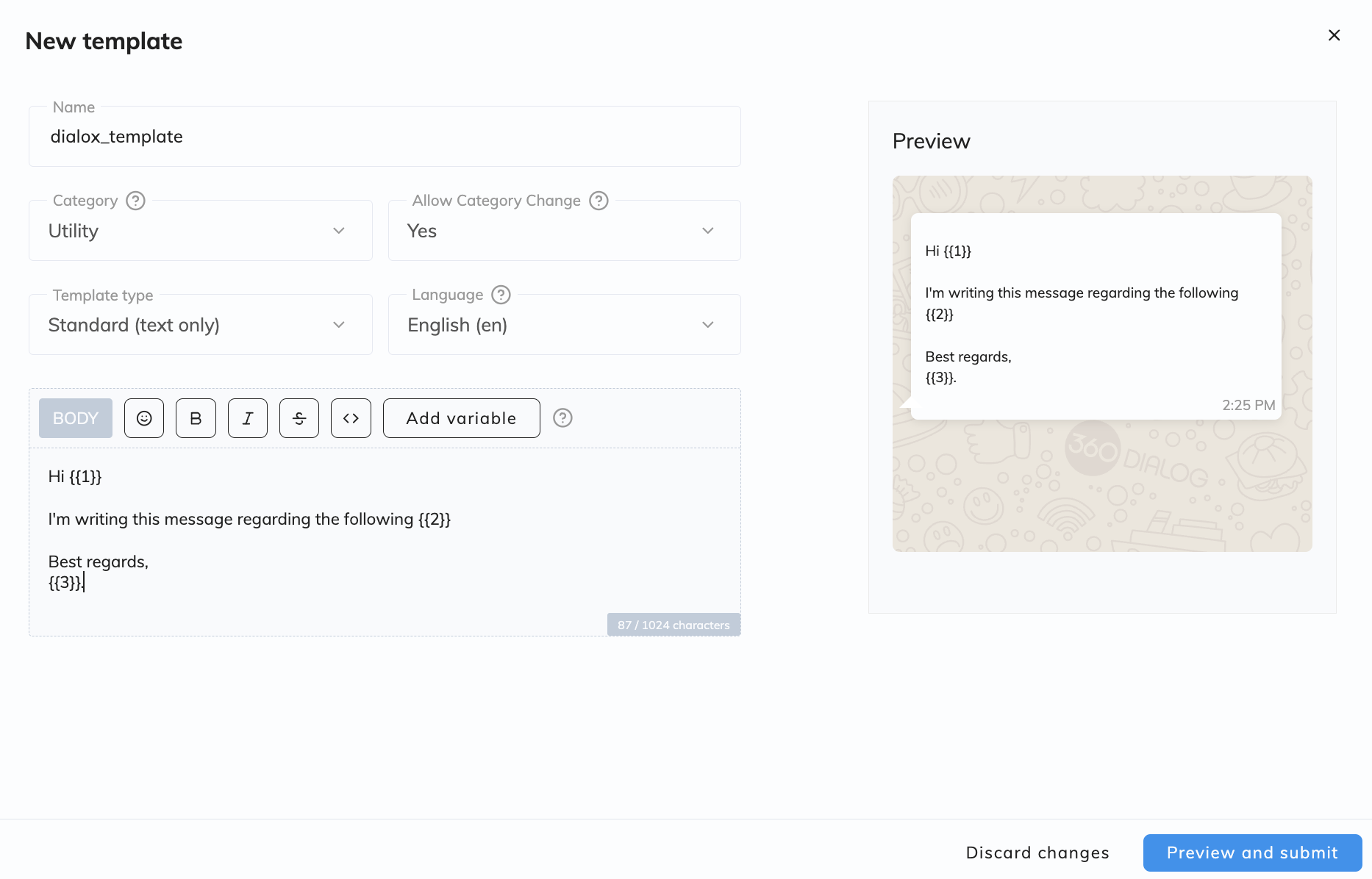
Creating 360dialog templates is very simple. Log in with your 360dialog details and then navigate to the 'Templates' tab. Here you will find a blue button with Add template. A pop-up will then open where you can start designing your new template. There are some basic concepts you need to understand before you start creating your first template.
### Understanding the use of templates
Category:
* Authentication
* Utility
* Marketing
Allow category change:
* Yes
* No
Template type:
* Standard (text only)
* Media & Interactive
Languages:
* Choose from multiple languages that are supported by 360dialog or your platform.
### Example
There are options to use variables in 360dialog, this allows you to make certain areas in your template dynamic. For reference this is how a Standard template would look like when using variables:
If you click on Preview and submit, you will be directed to to the preview where you can test and see how your new template would look like.
{% hint style="info" %}
Please note that this preview is only one option. There are several cases where you can use the template builder to your advantage when automating outbound messaging.
If you want to know more about templates please read the [360dialog documentation](https://docs.360dialog.com/docs/insights/template-management-ui) for more information.
{% endhint %}
Submit template to save and use your template.