> For the complete documentation index, see [llms.txt](https://manuals.dialox.ai/llms.txt). Markdown versions of documentation pages are available by appending `.md` to page URLs; this page is available as [Markdown](https://manuals.dialox.ai/advanced-topics/shomi-custom/integration-example.md).
# Integration example
There is multiple ways of integrating with Shomi Custom in order to send data from Shomi to external systems. One way is writing the integration logic in [bubblescript](https://developer.dialox.ai/) in the `process_transcript` task in the custom file as explained in [Shomi Custom](/advanced-topics/shomi-custom.md#how-to-extend).
Another way is to create a note in the Shomi Custom and simply use the standard integration methods the DialoX platform have to offer because Notes can be retrieved using the API using the [notes endpoint](https://developer.dialox.ai/dev/rest/#/Notes/notes.list).
Notes can also be pushed automatically at creation to an extenal system using the Notes [webhook](https://developer.dialox.ai/dev/webhooks/).
This page describes what to do to do both types of integration on Notes.
### Shomi script
So in the Shomi Custom bot you need to open the `main` script and replace the `task custom_transcript` with the following code.
```ruby
task custom_transcript do
# to make sure the transcript ends up in the API calls or webhook push
remember transcript
# create a note with the summary
__ = Notes.save(title: transcript.topic, note: transcript.extended_summary)
# adding a notification to the chat client
transcript.notifications = (transcript.notifications || []) ++ ["A note is created for this summary in Shomi Custom."]
end
```
### How to find Notes in the DialoX UI
Now for every incoming transcription a note will be created. These notes are then visible in the DialoX Studio UI within the Notes page:
Or In the Inbox app under the Notes page:
### Integration
#### Enabling the API
You can find your bearer token and bot ID in the Channels section of the DialoX platform under the Web API page.
#### Retrieving using the Notes endpoint
Now you created a note for every transcript that Shomi produces you can retrieve them from any other system using the [Notes API endpoint](https://developer.dialox.ai/dev/rest/#/Notes/notes.list).
{% hint style="info" %}
Note that using the API end-point you need to poll at intervals which adds latency. Also you need to make sure to query the newest Notes at any given time and make sure to keep track of which Notes you already fetched.
{% endhint %}
The following example shows how to retrieve Notes using the API and how the response looks using the command line `cUrl` statement, but you can use any tool like PostMan to perform the same API call to test responses:
```bash
curl -s \
-H "Authorization: Bearer " \
"https://bsqd.me/api/bot//notes?sort=-inserted_at&size=20"
```
A typical response looks like this:
```json
{
"notes":
[
{
"id": "3cacb40e-3036-44a9-8ea2-b77d9a209d77",
"status": "new",
"tags":
[],
"note": "## CONVERSATION STARTED\n\n18-06-2026 @ 11:29\n\n## PARTICIPANTS…",
"inserted_at": "2026-06-18T09:30:10",
"updated_at": "2026-06-18T09:30:10",
"organisation_id": "14fecf4c-4f5d-4044-acab-bb37395517ca",
"bot_id": "72f3cf8e-af63-4397-9b35-996bf078c3e9",
"conversation_id": "2359b5d0-dfa7-42ee-bc5c-5190654f4486",
"conversation_data":
{
"transcript":
{
"live": true,
"user_name": "john.doe@enreach.com",
"user_timezone": "Europe/Amsterdam",
"user_operator_user_id": "11111xyz",
"user_extension": null,
"user_id": "id:rc111111@185455.voiceworks.com",
"user_displayname": "John Doe",
"conversation_uuid": "094b6377-46eb-4f39-a5ba-7c2388d3d4ee",
"emailed": false,
"caller_number": "anonymous",
"topic": "Zoho integration",
"juvoly": false,
"duration": 23,
"sentiment": "Neutral",
"class": "Technical Discussion",
"direction": "in",
"custom_shomi": true,
"callee_displayname": "John Doe",
"notifications":
[],
"extended_summary": "## CONVERSATION STARTED\n\n18-06-2026 @ 11:29\n\n## PARTICIPANTS\n\n-…",
"keylink": true,
"summary": "This call discussed the integration between Enreach Contact and …",
"account_id": "185455",
"callee_number": "+31123xxxxx",
"user_email": "john.doe@enreach.com",
"actions": "No specific actions were decided during this call.",
"redcactus": false,
"caller_displayname": "Anonymous",
"capabilities":
[
"email"
],
"auto_email": true,
"user_phone": "+31304010210",
"minutes": "- This call was recorded by …",
"pushed": false,
"locale": "en",
"schema_version": 3,
"auto_push_crm": false,
"session_id": "3967a453-11d1-4599-ba03-15993d19fb8c",
"call_datetime": "2026-06-18T09:29:42Z"
}
},
"actor":
{
"inserted_at": "2026-06-18T09:30:10Z",
"locale": "nl",
"tags":
[],
"timezone": "Europe/Amsterdam"
}
}
]
}
```
### Webhook
The best solution though is to use the WebHook. This way, your system will automatically be called when ever DialoX creates a new Note after receiving a new Transcript. This way you don't need to poll or keep track of which transcripts you already processed or not.
The [Webhook](https://developer.dialox.ai/dev/webhooks/) can be configured in the Web API section of the platform. Click on the **Add webhook** button to register a new webhook. Then choose "Notes" as Event Type and fill in your webhook URL and optionally a bearer token.
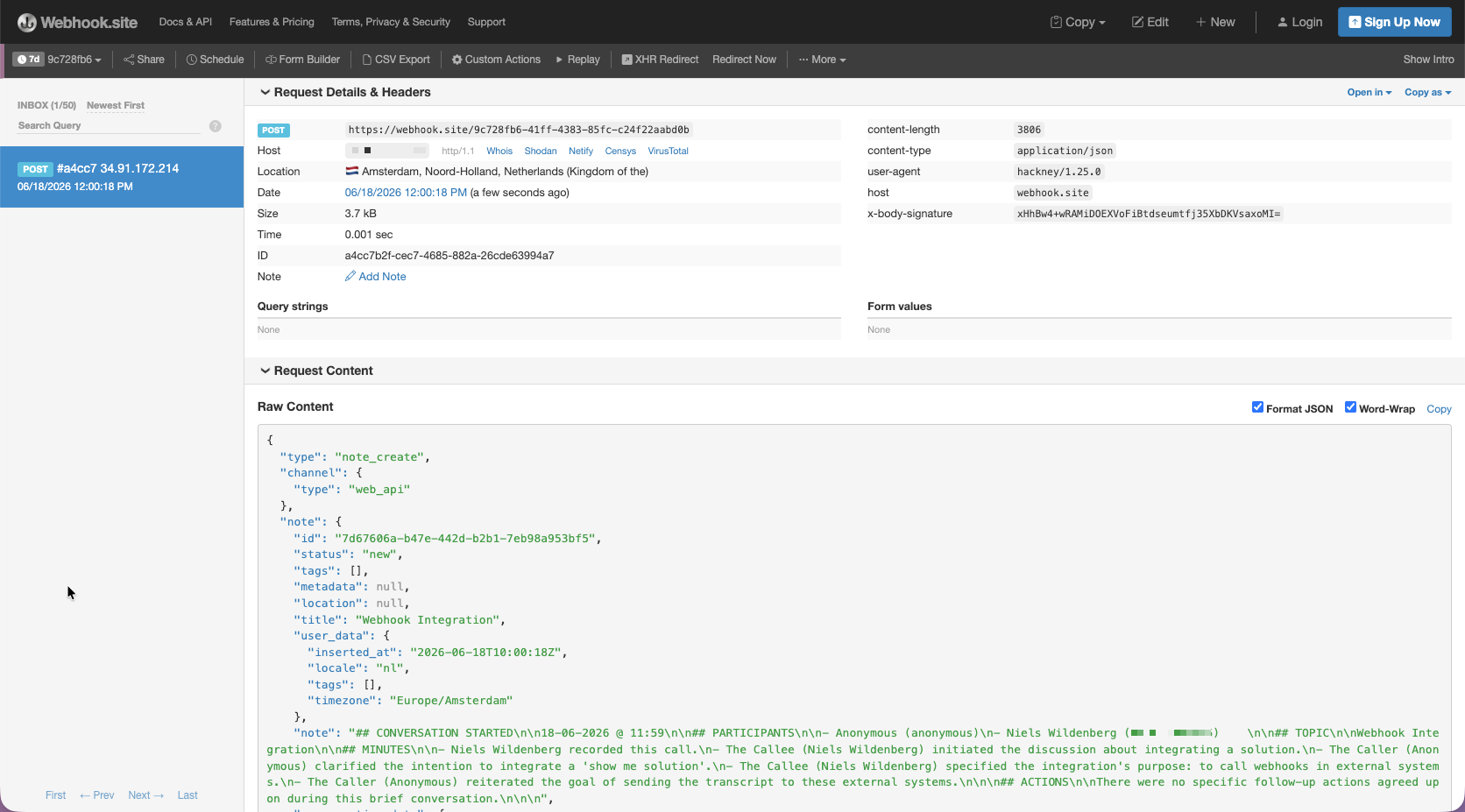
For this example I used webhook.site to capture the output to see which fields can be mapped.
The following snippet shows a full example of the output:
```json
{
"type": "note_create",
"channel":
{
"type": "web_api"
},
"note":
{
"id": "7d67606a-b47e-442d-b2b1-7eb98a953bf5",
"status": "new",
"tags":
[],
"metadata": null,
"location": null,
"title": "Webhook Integration",
"user_data":
{
"inserted_at": "2026-06-18T10:00:18Z",
"locale": "nl",
"tags":
[],
"timezone": "Europe/Amsterdam"
},
"note": "## CONVERSATION STARTED\n\n18-06-2026 @ 11:59\n\n## PARTICIPANTS…",
"conversation_data":
{
"transcript":
{
"live": true,
"user_name": "niels.wildenberg+bwisc@enreach.com",
"user_timezone": "Europe/Amsterdam",
"user_operator_user_id": "1111xyz",
"user_extension": null,
"user_id": "id:rc11111@185455.voiceworks.com",
"user_displayname": "John Doe",
"conversation_uuid": "e3fed214-808a-4aa9-a77f-f4b0a4b417ff",
"emailed": false,
"caller_number": "anonymous",
"topic": "Webhook Integration",
"juvoly": false,
"duration": 20,
"sentiment": "Neutral",
"class": "Technical Discussion",
"direction": "in",
"custom_shomi": true,
"callee_displayname": "John Doe",
"notifications":
[],
"extended_summary": "## CONVERSATION STARTED\n\n18-06-2026 @ 11:59\n\n## PARTICIPANTS…",
"keylink": true,
"summary": "The conversation focuses on integrating…",
"account_id": "111111",
"callee_number": "+311111xxxxxx",
"user_email": "john.doe@enreach.com",
"actions": "There were no specific follow-up actions agreed upon during this brief conversation.",
"redcactus": false,
"caller_displayname": "Anonymous",
"capabilities":
[
"email"
],
"auto_email": true,
"user_phone": "+31111xxxxx",
"minutes": "- John Doe recorded this call…",
"pushed": false,
"locale": "en",
"schema_version": 3,
"auto_push_crm": false,
"session_id": "8da4a51a-af22-4e32-8ddf-620a9723aef0",
"call_datetime": "2026-06-18T09:59:52Z"
}
},
"start_at": null,
"due_at": null
},
"user_id": "99a090bf-fe49-4b3b-a925-44736f9014fe",
"bot_id": "72f3cf8e-1163-4397-9b35-996bf078c3e9",
"conversation_id": "d67c2373-1d02-4666-b0ee-6ec0ce99b040",
"user_uuid": "e9180c32-5121-4ad6-b621-2505f0151d7d",
"conversation_uuid": "c8e4decf-d2cb-47fc-b8dc-12cf53a2255c",
"event_created": "2026-06-18T10:00:18.483499Z"
}
```