> For the complete documentation index, see [llms.txt](https://manuals.dialox.ai/llms.txt). Markdown versions of documentation pages are available by appending `.md` to page URLs; this page is available as [Markdown](https://manuals.dialox.ai/store/skills/integrations/contact-connect.md).
# Contact Connect
The Contact Connect integration will automatically pull any data on the caller from your CRM into the bot. This allows you to build a flow tailored to the needs of your customers.
The integration will use the callers' phone number to look up any known data.
## Installation
### Add CloudCTI to your license in Operator
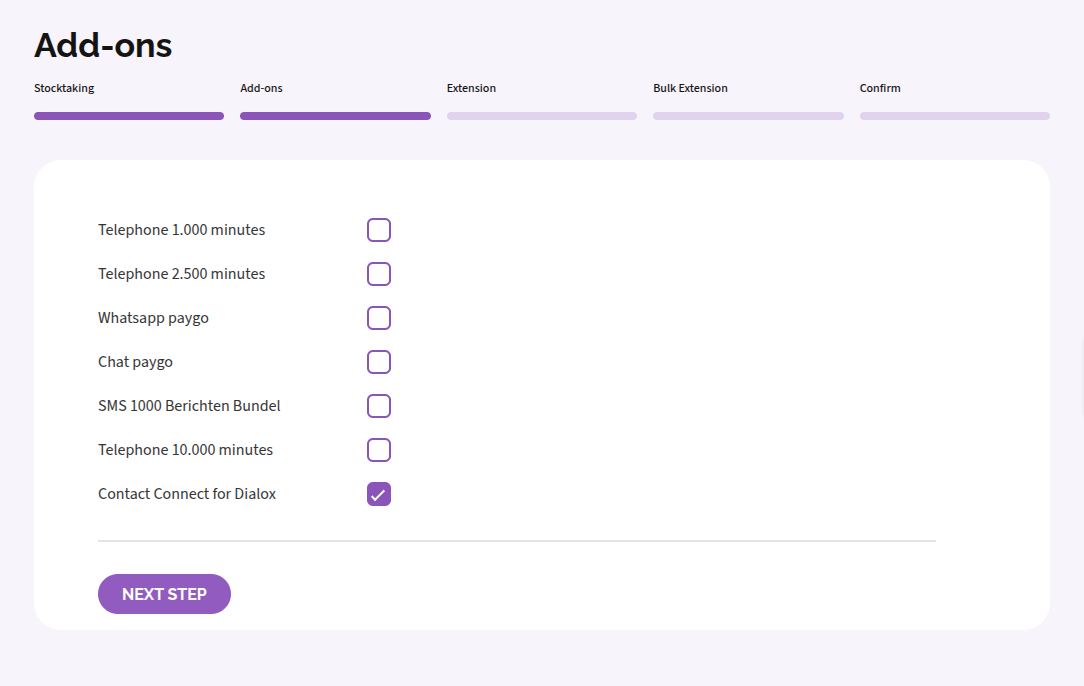
To enable CloudCTI on your bot, you need to enable the Contact Connect for DialoX add-on in Operator on a Smart App license. Existing orders can also be edited to include this feature. See the [Operator documentation](https://help.enreach.com/contact/1.00/web/Enreach/en-US/#page/help/chap_ordering.04.16.html) for more information.
### Link the CRM to CloudCTI
To link your CRM to CloudCTI, go to the [web configurator](https://contactconnect.enreach.com/). Use your Operator credentials to log in. See [documentation](https://help.enreach.com/contactconnect/1.00/web/Enreach/en-US/#page/help/chap_installation.html) for more information.
From there, you can add a new integration, and select the CRM of your choice. Follow the integration specific instructions to complete the setup.
### Installing the Contact Connect skill
The Contact Connect skill isn't installed automatically with your Smart App. Therefore you need to install it manually in the DialoX studio.
Go to Packages -> Browse skills and search for the Contact Connect skill.
{% hint style="info" %}
If you don't see this skill here, it needs to be added to your account. Please consult your partner or Enreach DialoX support team.
{% endhint %}
### Link data from CloudCTI to your app
Before we can start using the data from your CRM, we need to know which fields are available to the app. We do this by synchronizing a contact based on their phone number.
From the 'Content - Contact Connect' page, click on the Synchronize button. This will start the bot in a special mode where we can fetch data from your CRM through CloudCTI.
We will try to use the phone number from your DialoX profile to perform a lookup, but any given phone number will work, as long as it is present in your CRM.
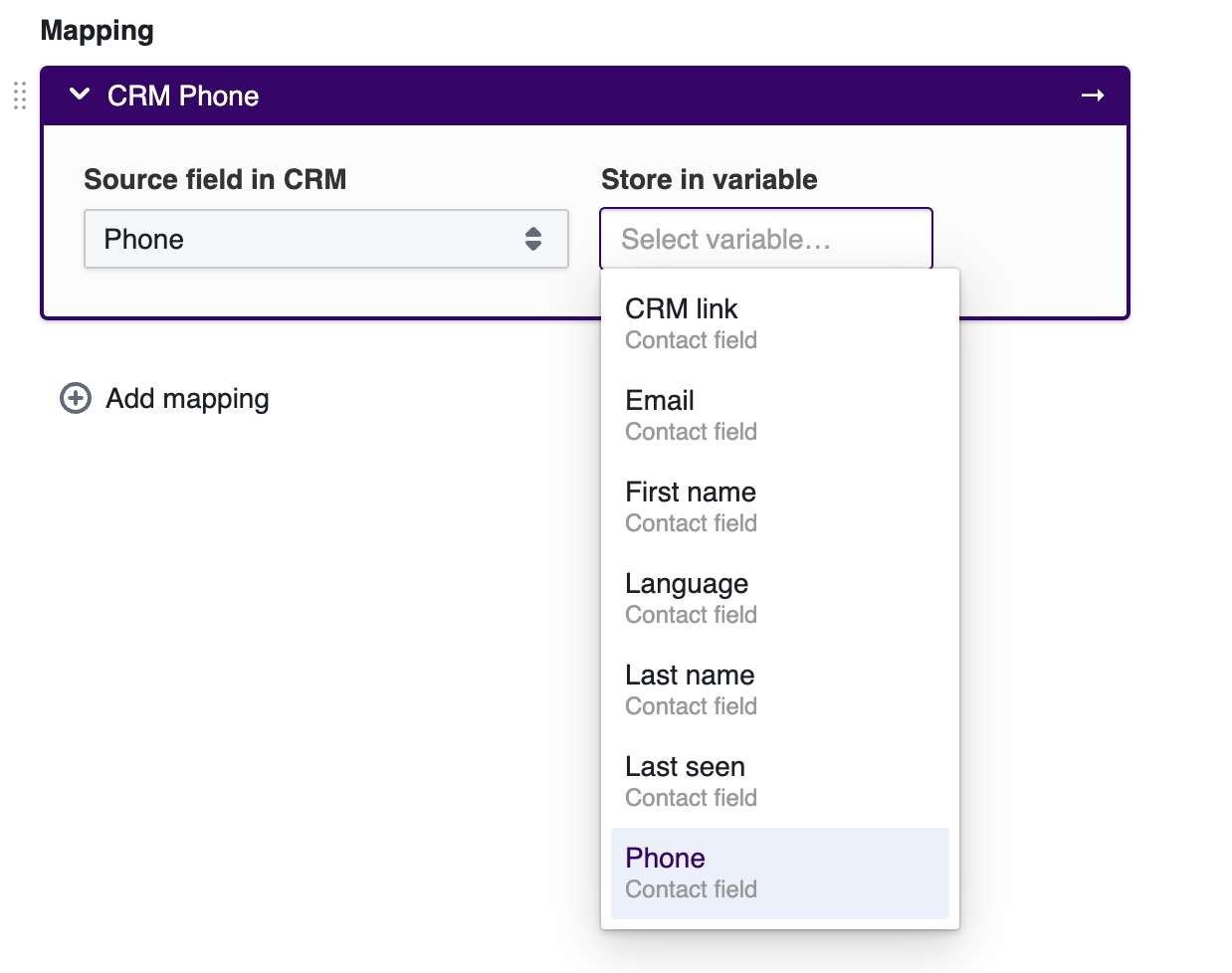
After successfully fetching a contact from your CRM, you will be able to map the data to the variables in DialoX: